On this page
Claude Code Agent Teams
Experimental feature for orchestrating multiple Claude Code instances as a coordinated team with shared task lists and inter-agent messaging
I needed three independent code reviews running in parallel: security, performance, and test coverage. Separate terminal sessions could do the work, but they could not share task state or findings without manual coordination.
Agent Teams formalize that pattern. One Claude Code session leads while independent teammates use their own context windows, a shared task list, and direct messages. The feature is still experimental, so durable coordination patterns matter more than any one release’s pane implementation.
What Agent Teams are
Agent Teams is an experimental Claude Code feature where one session acts as lead and coordinates independent Claude instances. The official documentation describes the feature as of Claude Code 2.1.178; details from older releases in this post are labeled as historical observations.
The coordination primitives are:
- The lead is the main session that creates the team, assigns tasks, and approves work.
- Teammates are separate Claude instances spawned into their own panes.
- The task list holds shared work items with states (pending, in progress, completed) and dependency tracking.
- The mailbox handles direct messaging between agents, including lead-to-teammate and teammate-to-teammate messages.
This differs from subagents, which report a result to the caller but do not communicate with each other. Teammates can message one another and coordinate through shared tasks.
When to use teams
The distinction between teams, subagents, and solo sessions matters. Picking wrong wastes time on coordination overhead or leaves performance on the table.
| Need | Use |
|---|---|
| Quick focused task, only result matters | Subagent |
| Workers need to discuss and collaborate | Agent team |
| Sequential work, same-file edits | Solo session |
Teams work well for parallel code review, competing hypothesis debugging, cross-layer coordination (frontend + backend + tests simultaneously), and independent module development where workers need to share findings.
There is a collect-side caveat. A background teammate’s work is not a deliverable until it is sent back or written to an agreed artifact. For fan-out work where the lead must consume every result immediately, use a synchronous worker or make the delivery path explicit in the task brief.
When not to use teams
Not every parallel workload benefits from the coordination overhead.
- Sequential edits to the same file. Teammates cannot safely edit the same file concurrently, so use a solo session instead.
- Quick one-shot tasks. If the task takes less than five minutes solo, spawning a team wastes more time on setup than it saves. Use a subagent for focused delegation.
- Tasks that need session persistence. In-process teammates cannot be resumed if interrupted. If the task might span multiple sittings, use solo sessions with handoff documentation.
- Nested orchestration. Teams cannot create teams within teams. For hierarchical delegation, coordinate multiple solo sessions manually.
Setup
Enable the experimental feature flag:
{
  "env": {
    "CLAUDE_CODE_EXPERIMENTAL_AGENT_TEAMS": "1"
  }
}
Display behavior has changed across releases. If you need a specific mode, consult the documentation for the installed Claude Code version rather than copying an old setting blindly. A commonly used tmux preference is:
{
  "teammateMode": "tmux"
}
The official documentation now says that, as of 2.1.178, spawning a teammate no longer requires a separate team-setup step and cleanup occurs automatically when the session exits. Older iTerm2 and tmux observations below describe the versions named in their headings; they are diagnostic history, not a current setup contract.
Patterns that held up
Four patterns emerged from daily use that make teams productive rather than chaotic:
- Delegate mode (Shift+Tab) restricts the lead to coordination only, so it does not implement. This keeps the lead focused on task management and review.
- Plan approval: teammates plan in read-only mode. The lead reviews the plan before authorizing implementation, which prevents wasted work from misunderstood requirements.
- Task sizing: aim for 5-6 tasks per teammate. Fewer tasks underutilize the teammate; more cause context overflow.
- Quality hooks:
TeammateIdlekeeps teammates working instead of stopping early, andTaskCompletedprevents premature completion claims.
Difficulties encountered
This section is the reason this post exists. The official docs cover the happy path; what follows is what I picked up from broken sessions and lost work.
Experimental and undocumented edge cases. The feature is marked experimental, and the label is accurate. I worked out error recovery, per-teammate context limits, and task dependency resolution by trial and error. The documentation covers the basics and stops before the failure modes.
No session resumption for in-process mode. If a teammate crashes or the terminal closes, that teammate’s work is lost. I discovered this after losing 20 minutes of implementation progress mid-task. There is no checkpoint or recovery mechanism.
Permission modes are fixed at spawn. Teammates start with the lead’s permission settings. The docs draw a narrow line here: you cannot set per-teammate modes at spawn time, but you can change an individual teammate’s mode once it is running. A read-only reviewer alongside a read-write implementer is still reachable, it just takes two steps. Plan for a second pass after the spawn instead of a spawn-time config.
Choosing team vs subagent vs solo. The distinction is subtle. Early attempts used agent teams for tasks better suited to subagents (quick focused work), which wasted coordination overhead on problems that needed a five-second background task, not a persistent collaborator.
Gitignored symlinks missing in worktrees. When teammates work in git worktrees, only tracked files appear. Gitignored symlinks (CLAUDE.local.md, .claude/settings.local.json, .claude/skills) are missing. Personal instructions and settings do not load for worktree teammates. The mitigation is putting critical environment variables in user-level ~/.claude/settings.local.json and front-loading context in spawn prompts.
Historical iTerm2 backend behavior in 2.1.74. In that release, the tested ITermBackend path did not activate and the runtime fell back to in-process
mode outside tmux. tmux -CC supplied split panes through the tmux backend.
Re-test this on newer releases before using it as a workaround.
Backend selector stores macros outside settings.json (v2.1.138 audit). A regression report on Claude Code 2.1.138 sent me into the binary’s string table to figure out why split panes still weren’t spawning despite teammateMode: "tmux" + CLAUDE_CODE_EXPERIMENTAL_AGENT_TEAMS=1 + an active tmux session. strings $(which claude) surfaced two persistent flags managed by a getter/setter pair the binary calls S_() / e_():
preferTmuxOverIterm2: set totrue(viayk7(true)) when the user picks “Use tmux instead” on the iTerm2 setup prompt; read byhk7().iterm2It2SetupComplete: set totrueafter a successfulit2 session listverify (vk7()).
Neither flag lives in settings.json, and neither has a CLI read/write surface. The runtime backend selector emits [BackendRegistry] Selected: tmux (running inside tmux session) to stderr when process.env.TMUX is set. The tmux backend wins for any session launched from inside an existing tmux pane, regardless of what settings.json says.
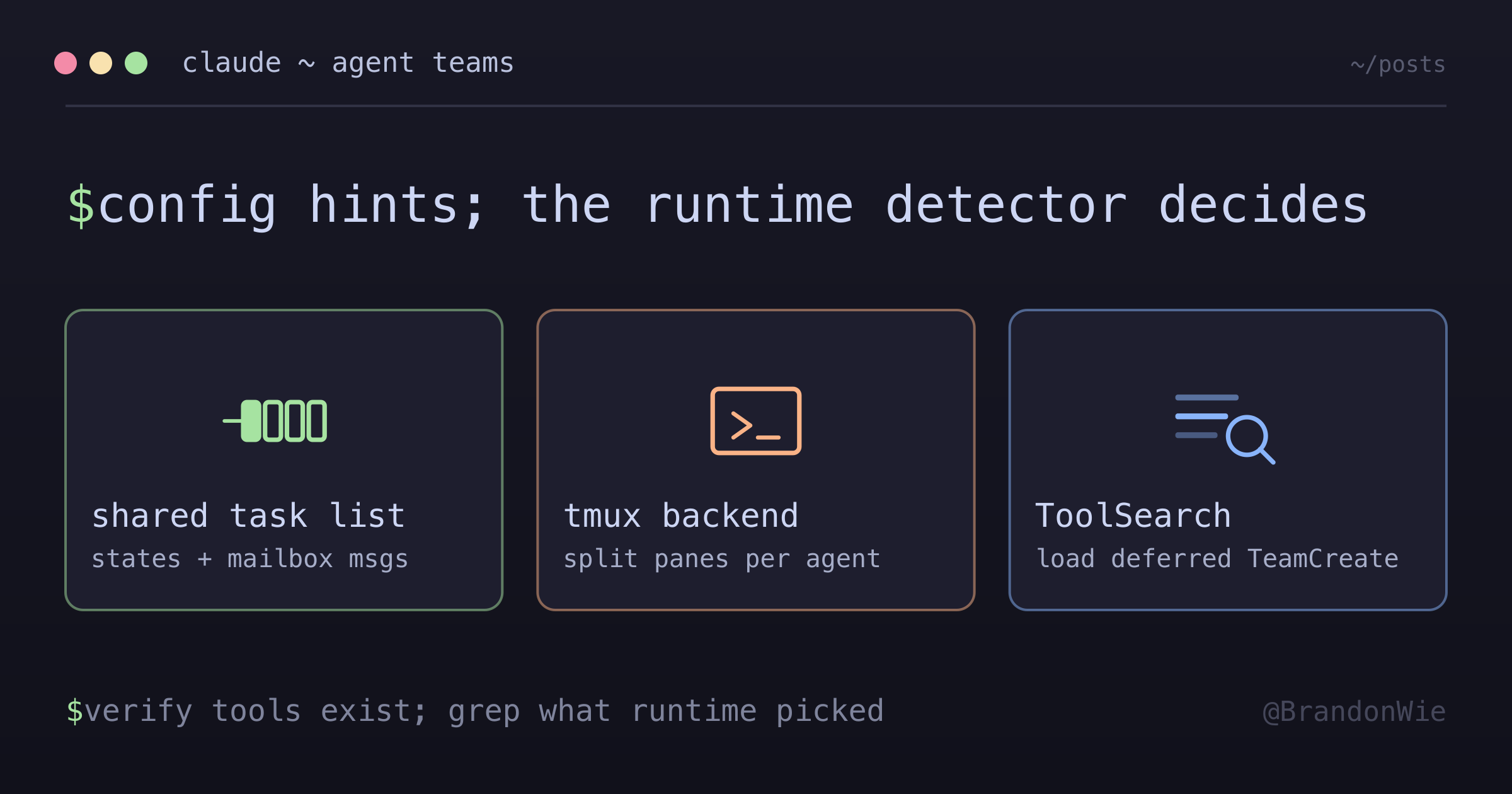
The implication that surprised me on that release: teammateMode reads as authoritative in the docs, but the runtime detector was the actual decision point, and settings.json acted as a hint rather than a hard override. To find out which backend 2.1.138 really picked, I ran claude --debug, spawned a teammate, and grepped stderr for [BackendRegistry] Selected:. The log line was the ground truth; everything else was configuration. That is still the diagnostic shape I would reach for, but check it against the log your installed release actually emits rather than assuming the selector behaves the same way today.
Historical orphaned panes. Older builds could leave a tmux pane running as a
bare shell after the team metadata was already gone. Current documentation says
cleanup happens automatically when the session exits, but the same docs still
list orphaned tmux sessions under troubleshooting. I read that as the intended
behavior rather than a guarantee. If a specific version still leaks panes,
confirm with tmux list-panes -a and report it against that release.
Tmux pane race condition on parallel spawn. Spawning three or more teammates simultaneously can trigger “not in a mode” errors from tmux send-keys. The pane gets created, but the agent fails to start. Retrying individually usually works. Spawning teammates sequentially (with a brief pause) avoids the issue entirely.
Idle agent claims another’s work (concurrency hazard). When a teammate finishes its batch early, it can see unfinished tasks in the shared task list and claim them, even when another teammate is actively working on those files. Two agents writing the same files simultaneously causes data loss or conflicts. I hit this during a 3-agent blog expansion job across 72 posts: the fastest agent finished and claimed another’s task, spawning sub-agents against the same files. No data loss only because the original agent had already written first. To prevent it, use TaskUpdate with owner to explicitly claim tasks at spawn time, and instruct agents not to claim tasks already in_progress or owned by another agent.
Settings.json reorganization side effects. The Claude Code UI can reorganize settings.json when saving changes, silently altering values like defaultMode. Always verify settings after UI-driven changes; a quick diff against version control catches silent mutations.
A deferred tool wrongly declared missing (historical, pre-2.1.178). This one was particularly insidious. A session concluded that TeamCreate did not exist, because it was a deferred tool that stayed out of the visible tool list until ToolSearch loaded it. My global CLAUDE.md was updated to say “use Agent tool instead,” which pushed every later session into background subprocesses instead of split-pane teams. The correction was straightforward: use ToolSearch to check for deferred tools before concluding they are absent. The damage was sessions of degraded behavior where I thought teams were running and was getting background subagents instead.
Deferred tool visibility bias (historical, pre-2.1.178). Even after documenting TeamCreate correctly, Claude kept reaching for the Agent tool without team_name, which on those releases ran in-process with no split panes. The root cause was visibility: Agent sat in the primary tool list while TeamCreate needed a ToolSearch call first, and a model defaults to the tool it can already see. My workaround was a SessionStart hook (session-start-team-preload.py) that reminded the session to preload TeamCreate, with an explicit ToolSearch → TeamCreate → Agent(team_name) sequence in the advisory text.
That workflow is now history, not advice. The official docs state that both TeamCreate and TeamDelete were removed in v2.1.178, and that the team_name input on the Agent tool is accepted but ignored. Do not copy the three-step sequence into a current setup. What generalizes is the bias underneath it: a model reaches for whatever tool is visible, so when the right tool needs an extra load step, something in the session has to say so.
Teammate summary-field trap (silent deliverable loss). When a teammate sends a message back, its reply has both a summary field (5-10 words for the UI preview) and a message field (the full content). Some teammates put only a meta-summary like “X complete, ready to paste” in the summary field and leave the message body empty or just restate the meta. The actual deliverable never arrives. I hit this on a 3-agent prep team in early April: 2 of 3 teammates returned summary-only messages, and an idle notification arrived without any prior content message. The lead session interpreted “idle” as task completion and moved on. Root cause: the teammate prompts didn’t explicitly tell them where the deliverable belongs; they treated the summary as the report. The fix: every teammate brief must explicitly say “put the full deliverable in the message body; the summary field is metadata only, max 10 words.” Equally important: treat an idle notification without a prior content message as a silent failure, not task completion. Recovery is unreliable: SendMessage-ing an idle teammate to ask for the report inline does not deliver in time reliably, and the late payload may arrive a turn or more later, or not before you need it. The durable fix is structural. For any fan-out then collect step, use a synchronous Agent call with no name or team_name, so its final message returns directly as the tool result and the deliverable cannot be stranded in an invisible summary field. Reserve named or background teammates for work whose output you do not need to read back inline.
Restricted-tool worker types cannot message at all. The summary-field trap has a harder variant. Worker agent types whose tool list excludes SendMessage and Write entirely (read-only workers with only Read, Glob, Grep, and Bash) are structurally unable to deliver a background report. The orchestrator receives idle notifications and nothing else, and no amount of re-instruction fixes it because the delivery tool does not exist in the worker’s toolbox. I hit this on 2026-07-10 with four background diagnostic workers: four-plus wasted nudges before diagnosing the cause. The fix: when fanning out to restricted-tool agent types in the background, specify a file-drop delivery contract up front (“write your full report via Bash heredoc to <agreed-path>”) and have the orchestrator read the files on each idle ping. Workers with Bash can always cat > file <<'EOF' even without the Write tool. A synchronous unnamed Agent call remains the simpler fix when the result must return inline.
A named teammate’s return has no delivery deadline. The trap above is about where a deliverable goes. This one is about when it shows up. Teammate output
never arrives as a tool result; only lifecycle idle signals do. So an idle
teammate that has not delivered has not necessarily failed, and its report can
still land long after you stopped waiting for it. On 2026-09-11 I dispatched a
teammate for a security read. It answered nothing to two explicit SendMessage requests, so I moved on. The full report arrived after the session had already
wrapped, committed, and pushed, and it contradicted the conclusion I had shipped
in the interval. So treat “it went idle without a report” as UNRESOLVED rather
than failed. If a read gates a commit, use a synchronous unnamed Agent so the
answer comes back before you decide. If a named teammate is already out and you
cannot wait for it, say in the commit that the review is still outstanding
instead of reporting a verdict from whatever partial evidence you happen to
hold.
Current limitations to design around
The official documentation still calls out limitations around session resumption, task coordination, and shutdown behavior. In practice, I design for these durable constraints:
- Teammates have independent context. Put critical requirements in each task brief instead of assuming the lead’s context transfers.
- Shared tasks do not prevent overlapping file ownership. Assign owners and sequence same-file changes explicitly.
- A background result needs a delivery contract: direct message, synchronous return, or an agreed file path.
- Worktrees contain tracked files, not personal gitignored configuration. Provide required environment and instructions separately.
- Permission and display behavior are version-sensitive. Verify the installed release and runtime logs before diagnosing from settings alone.
The detailed incidents above remain useful for recognizing failure shapes, but their tool names and backend behavior are not a compatibility promise.
Example prompt
Here is a prompt that demonstrates the team coordination pattern:
Create an agent team to review PR #142. Spawn three
reviewers:
- One focused on security implications
- One checking performance impact
- One validating test coverage
Have them each review and report findings.
The lead assigns each reviewer a task, the reviewers work independently in their own panes, and findings flow back through the mailbox for the lead to synthesize.
Takeaways
Agent Teams fit complex work where independent workers need to share findings and coordinate. Subagents fit focused jobs where only the result matters, while a solo session is safer for sequential edits to the same files.
The most durable lesson is to make ownership and delivery explicit. A shared task list does not serialize writes, and spawning a teammate does not guarantee that the lead receives a usable report.
The second lesson is to separate official behavior from version-specific evidence. Start with the current documentation, then use runtime logs to diagnose the installed release. Old binary strings and pane workarounds can explain an incident without defining today’s contract.