On this page
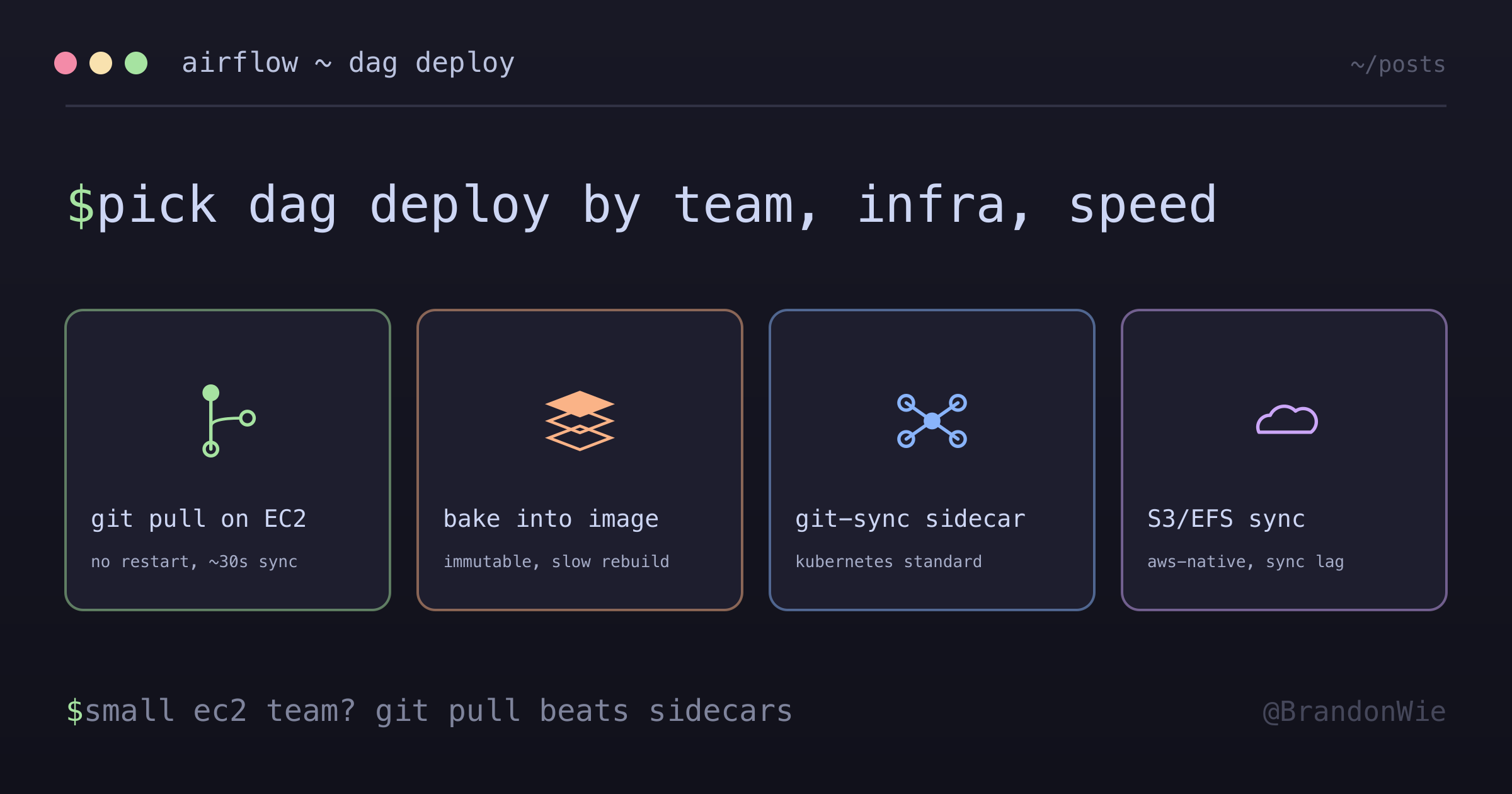
DAG Deployment Strategies
Different approaches to deploying Airflow DAGs, with trade-offs analysis.
When setting up Airflow on EC2 with Docker Compose, the first question was: how do DAG files get from the Git repository onto the running containers? Airflow documentation describes multiple approaches without recommending one. Picking the wrong strategy early means painful migration later as the team or infrastructure grows.
I evaluated four common approaches, chose the simplest one that fit a two-person team on EC2, and wrote down the decision tree so future-me knows when to migrate.
The Difficulty
No single recommended approach. Airflow docs describe several strategies but don’t recommend one for a given setup. I had to piece together trade-offs from blog posts, GitHub issues, and Helm chart defaults.
Conflating DAG deployment with code deployment. Most guides bundle deploying DAG Python files with deploying the Airflow application itself (Docker image). These are independent concerns.
Git-sync sidecar docs assume Kubernetes. The most-documented approach is Kubernetes-native. Translating it to Docker Compose on EC2 felt like forcing a pattern.
The Four Approaches
1. Full Git Repo on EC2
Clone the entire repository to the EC2 instance. Containers volume-mount the dags/ folder.
EC2 /opt/airflow/          ← Full Git repository
├── dags/                  ← DAG files
├── master/
│   └── docker-compose.yml
├── worker/
└── .git/
Changes sync via git pull, and the scheduler picks them up with no container restart. How fast that happens depends on two separate settings rather than one, which is easy to miss:
[scheduler] min_file_process_interval(default30) controls how often Airflow re-parses a DAG file it already knows about. The config reference puts it plainly: “Updates to DAGs are reflected after this interval.”[scheduler] dag_dir_list_interval(default300) controls how often Airflow rescans the DAGs directory for new files.
So editing an existing DAG shows up in roughly half a minute, but a brand-new DAG file can sit unnoticed for up to five minutes on stock config. Both defaults carried into Airflow 3.x, where parsing moved into a standalone dag-processor: the same 30-second min_file_process_interval now lives under [dag_processor], and the directory scan became [dag_processor] refresh_interval, still 300 seconds.
Best for: Small teams (2-10), EC2-based, frequent DAG changes.
2. Docker Image with DAGs (Bake into Image)
Include DAG files in the Docker image at build time:
# Dockerfile
COPY dags/ /opt/airflow/dags/
DAG changes require an image rebuild and container restart. This gives you immutable, versioned deployments but slows iteration significantly.
Best for: Immutable infrastructure, strict versioning requirements.
3. Git-Sync Sidecar (Kubernetes Standard)
A separate git-sync container periodically pulls the repo and shares DAGs via a volume:
# Kubernetes Pod
containers:
  - name: scheduler
    image: airflow
  - name: git-sync # Separate container
    image: git-sync
    args: ["--repo=https://github.com/...", "--branch=main"]
This is the standard pattern for Kubernetes-based Airflow deployments. The sidecar handles pulling, and the scheduler sees updates without restart.
Best for: Kubernetes environments, large teams.
4. S3/EFS Sync
Upload DAGs to an S3 bucket or mount an EFS volume:
S3 bucket                    EC2
s3://airflow-dags/   ───►  /opt/airflow/dags/
AWS-native and works across regions, but adds infrastructure (S3 bucket or EFS mount) and introduces sync lag.
Best for: AWS-native workflows, multi-region deployments.
Comparison Matrix
| Criterion | Git Repo on EC2 | Bake into Image | Git-Sync | S3/EFS |
|---|---|---|---|---|
| Setup complexity | Low | Low | Medium | Medium |
| DAG change speed | Fast (git pull) | Slow (rebuild) | Fast | Fast |
| Container restart | No | Yes | No | No |
| Extra infra | None | None | Sidecar | S3/EFS |
| Best environment | EC2 small team | Immutable infra | Kubernetes | AWS native |
| Team size | 2-10 | Any | Large | Medium-Large |
Airflow doesn’t publish a matrix like this, so treat it as my read of the trade-offs rather than doctrine. The setup-complexity ratings and especially the team-size bands are judgement calls. They mark where each approach stopped feeling proportionate to me, not thresholds anyone has measured.
What I Chose: Full Git Repo on EC2
I picked the simplest option because:
- Small team (2 people) on EC2, not Kubernetes
- DAG changes are frequent and need fast iteration (seconds, not minutes)
- Zero downtime is critical, which rules out container restarts for DAG-only changes
- Git provides built-in version control and instant rollback
- The downsides (repo exposure, auth) are mitigated with deploy keys and
.gitignore
Decision Tree
What's your infrastructure?
├─ Kubernetes
│   └─ Use Git-Sync Sidecar
│
├─ EC2 with small team (< 10)
│   └─ Use Full Git Repo on EC2
│
├─ Strict immutable requirements
│   └─ Use Bake into Image
│
└─ AWS-native, multi-region
    └─ Use S3/EFS Sync
The Git Repo Approach in Detail
Deployment Flow
1. Developer edits DAG
   └─► git push origin main

2. GitHub Actions triggers
   └─► dags/ change detected

3. SSM command to EC2
   └─► cd /opt/airflow && git pull

4. Scheduler re-parses the changed file (~30s)
   └─► Updated DAG ready

Container restart: NOT NEEDED
Downtime: NONE
Reflection time: ~30s for an edit
                 up to ~5 min for a brand-new DAG file
Pros
| Advantage | Description |
|---|---|
| Simple | No extra infra (S3, EFS, git-sync container) |
| Fast deploy | Single git pull syncs DAGs |
| Familiar workflow | Standard Git-based deployment |
| Zero downtime | No container restart for DAG changes |
| Version control | Git history for DAG changes |
| Easy rollback | git checkout <commit> for instant rollback |
Cons and Mitigations
| Disadvantage | Description | Mitigation |
|---|---|---|
| Git dependency | EC2 needs Git | Amazon Linux has Git built-in |
| Full repo exposed | Unnecessary files on EC2 | .gitignore for sensitive files |
| Auth required | Private repo needs credentials | Deploy Key or HTTPS + PAT |
| Manual sync | Not auto-synced | CI/CD automation (SSM) |
Directory Convention
/opt is the Linux standard directory for third-party software. Apache Airflow uses AIRFLOW_HOME=/opt/airflow as the default:
/opt        ← Third-party apps (Airflow, Jenkins, etc.)
/usr        ← System-installed software
/home       ← User home directories
When to Migrate
Triggers I’d watch for, with the same caveat as the matrix. These are the points where the current approach starts costing more than it saves, not measured limits.
| Situation | Recommended Change |
|---|---|
| Kubernetes adoption | Git-Sync Sidecar |
| Security hardening | Bake into Image |
| Multi-region deployment | S3 sync with cross-region replication |
| Roughly 10+ DAGs and 5+ authors | Git-Sync or S3 |
When NOT to Use Each Strategy
- Full Git Repo on EC2. Don’t use if the repository contains secrets that can’t be excluded via
.gitignore, or if compliance requires immutable deployments with auditable image tags. - Bake into Image. Don’t use if DAG iteration speed matters. Rebuilding and restarting containers for every change creates unacceptable feedback loops.
- Git-Sync Sidecar. Don’t use on plain EC2 or Docker Compose. The sidecar adds unnecessary complexity outside of Kubernetes.
- S3/EFS Sync. Don’t use if you need strict version control. S3 sync doesn’t provide atomic updates or rollback guarantees the way Git does.
Takeaway
There’s no universally correct DAG deployment strategy. It depends on your infrastructure, team size, and how fast you need to iterate. For small teams on EC2, a full Git repo with CI/CD-triggered git pull is the simplest approach with the fastest feedback loop. Know your decision tree and plan your migration path for when the team or infrastructure outgrows the current strategy.
References
- Airflow Production Deployment
- Airflow 2.10.5 Configuration Reference, which documents the
[scheduler] min_file_process_intervalanddag_dir_list_intervaldefaults - Airflow Configuration Reference (stable), which covers the same two intervals after they moved under
[dag_processor]in Airflow 3.x