On this page
Giscus SvelteKit Integration
Adding a comment system to a statically generated SvelteKit blog without
I wanted comments on my blog. The site is statically generated — no server, no database, no backend. I also did not want to ship a heavy third-party script that tracks users or injects ads. My readers are developers who already have GitHub accounts, so a solution that leverages GitHub infrastructure made sense. That led me to Giscus, and while the core integration was straightforward, the edge cases around multilingual routing and localhost leaking caught me off guard.
Why Giscus Over the Alternatives
I evaluated four options before committing:
| Option | Pros | Cons |
|---|---|---|
| Giscus (GitHub Discussions) | Free, no DB, GitHub auth, privacy-focused, open source | Requires GitHub account to comment |
| Disqus | Widely used, easy setup | Ads, tracking, heavy JS bundle, privacy concerns |
| Utterances (GitHub Issues) | Similar to Giscus, simple | Uses Issues (not designed for comments), no reactions |
| Self-hosted (e.g., Commento) | Full control, no third-party | Requires server, database, maintenance |
Disqus was out immediately — the tracking, ads, and bundle size contradict everything about a personal blog. Utterances looked promising since it uses the same GitHub auth model as Giscus, but it stores comments as GitHub Issues. Issues are designed for bug reports, not conversations. They lack threading, reactions, and the general UX of a discussion forum.
Self-hosting a comment backend was overkill for a blog with maybe a handful of comments per post.
Giscus uses GitHub Discussions, which are purpose-built for conversations. Free, open source, privacy-respecting, and zero infrastructure on my end.
| Feature | Benefit |
|---|---|
| GitHub auth | Readers already have accounts |
| No database | Comments stored in GitHub Discussions |
| Privacy-focused | No tracking, GDPR compliant |
| Free | Open source, no cost |
| Theming | Customizable to match site theme |
Setting Up Giscus Step by Step
1. Enable GitHub Discussions on Your Repository
Go to your repository’s Settings, scroll to Features, and check “Discussions.” Then create a dedicated category for blog comments — I named mine “Blog Comments” and set it to the Announcements type. The Announcements type means only the repo owner (Giscus, via its bot) can create new discussion threads. Readers can only reply to existing threads, which prevents stray discussions from cluttering the category.
2. Configure at giscus.app
Visit giscus.app and fill in your repository details:
- Repository:
owner/repo - Mapping: “Discussion title contains a specific term” (this is important for multilingual sites — more on this below)
- Category: Select the category you created
- Features: Enable reactions and lazy loading
- Theme:
dark_dimmedfor dark-themed sites
The configurator generates data-repo-id and data-category-id values. Copy these — they go into your Svelte component.
3. Create the Svelte Component
The integration uses onMount to inject the Giscus script after the component mounts. This avoids SSG issues since the script only runs in the browser:
<script lang="ts">
  import { onMount } from 'svelte';

  interface Props {
    slug: string;
    lang?: 'en' | 'ko';
  }

  let { slug, lang = 'en' }: Props = $props();
  let containerRef: HTMLDivElement;

  onMount(() => {
    const script = document.createElement('script');
    script.src = 'https://giscus.app/client.js';
    script.async = true;
    script.crossOrigin = 'anonymous';

    // Configuration from giscus.app
    script.dataset.repo = 'owner/repo';
    script.dataset.repoId = 'R_xxxxx';
    script.dataset.category = 'Blog Comments';
    script.dataset.categoryId = 'DIC_xxxxx';
    script.dataset.mapping = 'specific';
    script.dataset.term = slug;  // Use slug for shared EN/KO threads
    script.dataset.strict = '0';
    script.dataset.reactionsEnabled = '1';
    script.dataset.emitMetadata = '0';
    script.dataset.inputPosition = 'top';
    script.dataset.theme = 'dark_dimmed';
    script.dataset.lang = lang;
    script.dataset.loading = 'lazy';

    containerRef.appendChild(script);
  });
</script>

<section class="comments-section">
  <h2>Comments</h2>
  <div bind:this={containerRef}></div>
</section>
The component accepts slug and lang as props. The slug determines which GitHub Discussion thread maps to the post. The lang sets the Giscus UI language (not the comment language — users write in whatever language they want).
Sharing Comments Between Languages
This was the first design decision that mattered. My blog has English and Korean versions of the same post at different URLs:
/posts/my-post(English)/ko/posts/my-post(Korean)
If I used Giscus’s pathname mapping mode, each URL would create a separate discussion thread. English readers and Korean readers would never see each other’s comments.
The fix is to use the slug (not the full pathname) as the discussion term:
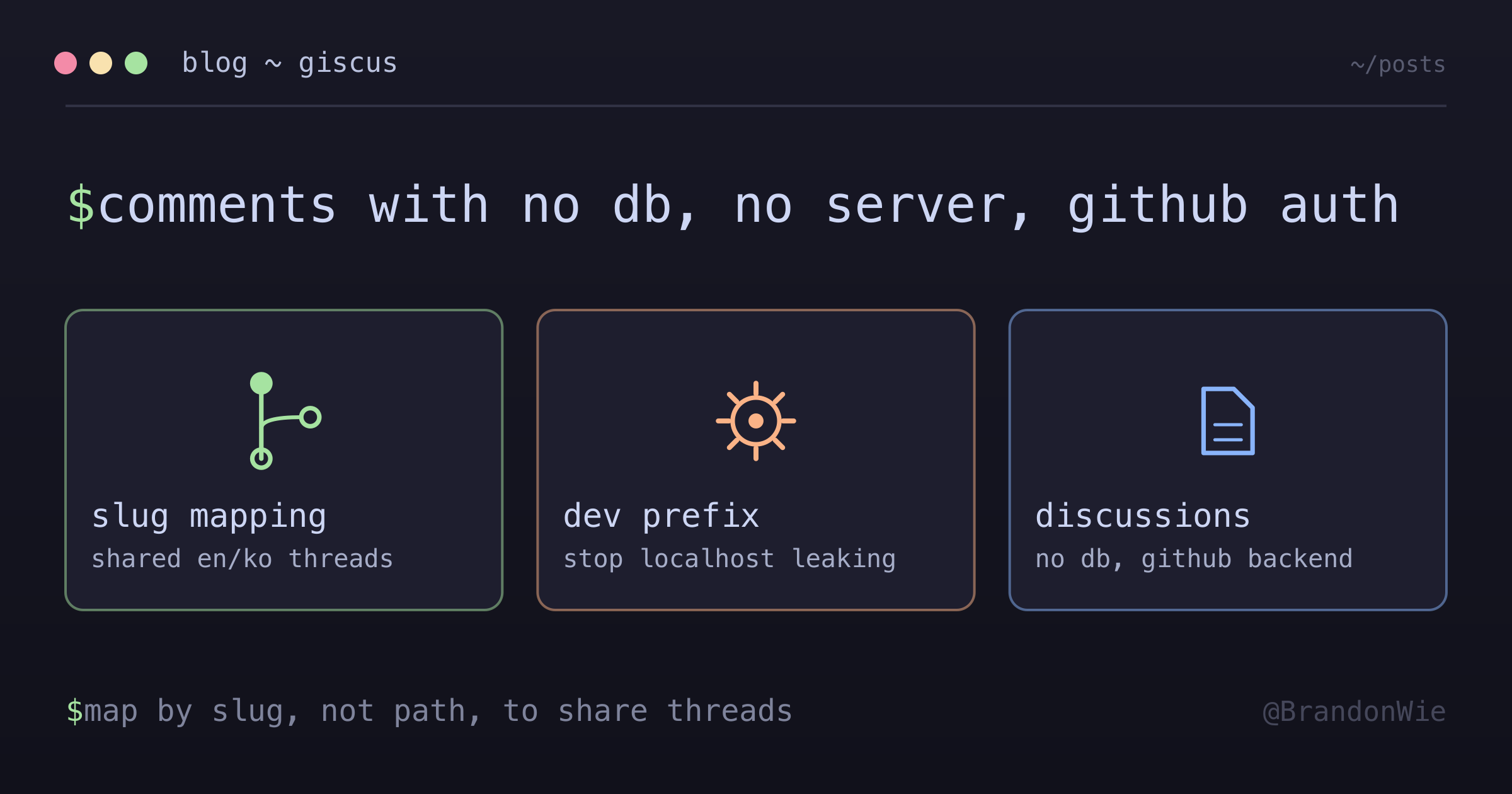
script.dataset.term = slug; // "my-post" not "/ko/posts/my-post"Both language versions of the same post use the same slug, so they map to the same GitHub Discussion. One comment thread, shared across languages.
The Localhost Problem
This one surprised me. During development, I left a test comment on localhost:5173. When I deployed, that comment appeared on the production site.
Giscus maps comments to GitHub Discussions by the term you provide (in my case, the slug). It does not factor in the domain. A comment on localhost:5173/posts/my-post and a comment on brandonwie.dev/posts/my-post both map to the same discussion thread because they use the same slug.
There are two ways to handle this:
- Delete test comments from GitHub Discussions after development (low-tech but effective)
- Use an environment-specific prefix so dev comments go to a different thread:
const isDev = import.meta.env.DEV;
script.dataset.term = isDev ? `dev-${slug}` : slug;
I went with option 1 for my blog since I rarely test comments locally. For a project with frequent comment testing, option 2 prevents the issue entirely.
Gotcha: Svelte Curly Braces in Comments
This caused a cryptic build error that took longer to diagnose than I would like to admit. Svelte interprets {anything} as a reactive expression, even inside HTML comments:
<!-- BAD: Causes "variable is not defined" error -->
<!-- Note: {variable} will be interpreted -->

<!-- GOOD: Avoid curly braces in comments -->
<!-- Note: curly braces will be interpreted -->
If you document Giscus configuration values in HTML comments and any of those values contain curly braces, Svelte’s compiler will try to evaluate them as expressions. The error message points to the “undefined variable” rather than the comment, making it hard to trace.
The fix is to keep curly braces out of HTML comments entirely. Use // JavaScript comments inside <script> blocks instead.
Theme Synchronization
Giscus renders inside an iframe, so your site’s CSS does not affect its appearance. You control the look through the theme dataset attribute. The available dark themes are:
dark— Standard darkdark_dimmed— Slightly lighter dark (GitHub’s dimmed mode)transparent_dark— Dark with transparent background
I used dark_dimmed because it matches the dimmed terminal aesthetic of my blog without being as stark as pure dark. Getting this right required trial and error — the theme names are not previewed in the configurator, so you need to deploy and check.
When to Use Giscus
Giscus is a strong fit when:
- Your audience is developers who already have GitHub accounts
- You run a static site (SSG) with no comment backend
- You want zero-cost, zero-maintenance comments
- Privacy and no-tracking are priorities
When to Use Something Else
- Non-developer audiences. Requiring a GitHub account to comment excludes most general-audience readers. A blog about cooking or parenting needs a different solution.
- High-volume comment sites. GitHub Discussions API has rate limits. Sites expecting thousands of comments per post need a dedicated system.
- Offline-first or self-hosted requirements. Giscus depends on GitHub infrastructure. If GitHub is down, comments are unavailable.
- Advanced moderation needs. GitHub Discussions moderation is basic compared to Disqus or custom solutions. There are no spam filters, no keyword blocks, no shadowbanning.
- Private repositories. Giscus requires a public repo for the Discussions backend.
Takeaway
Giscus gives you a comment system with no database, no server, and no tracking — at the cost of requiring GitHub accounts. For a developer blog, that is not a cost at all. The integration is a single Svelte component with about 20 lines of script setup. The two things to watch for are localhost comment leaking (use a dev prefix or delete test comments) and the slug-based mapping strategy for multilingual sites (use the slug, not the pathname, to share threads across languages).