On this page
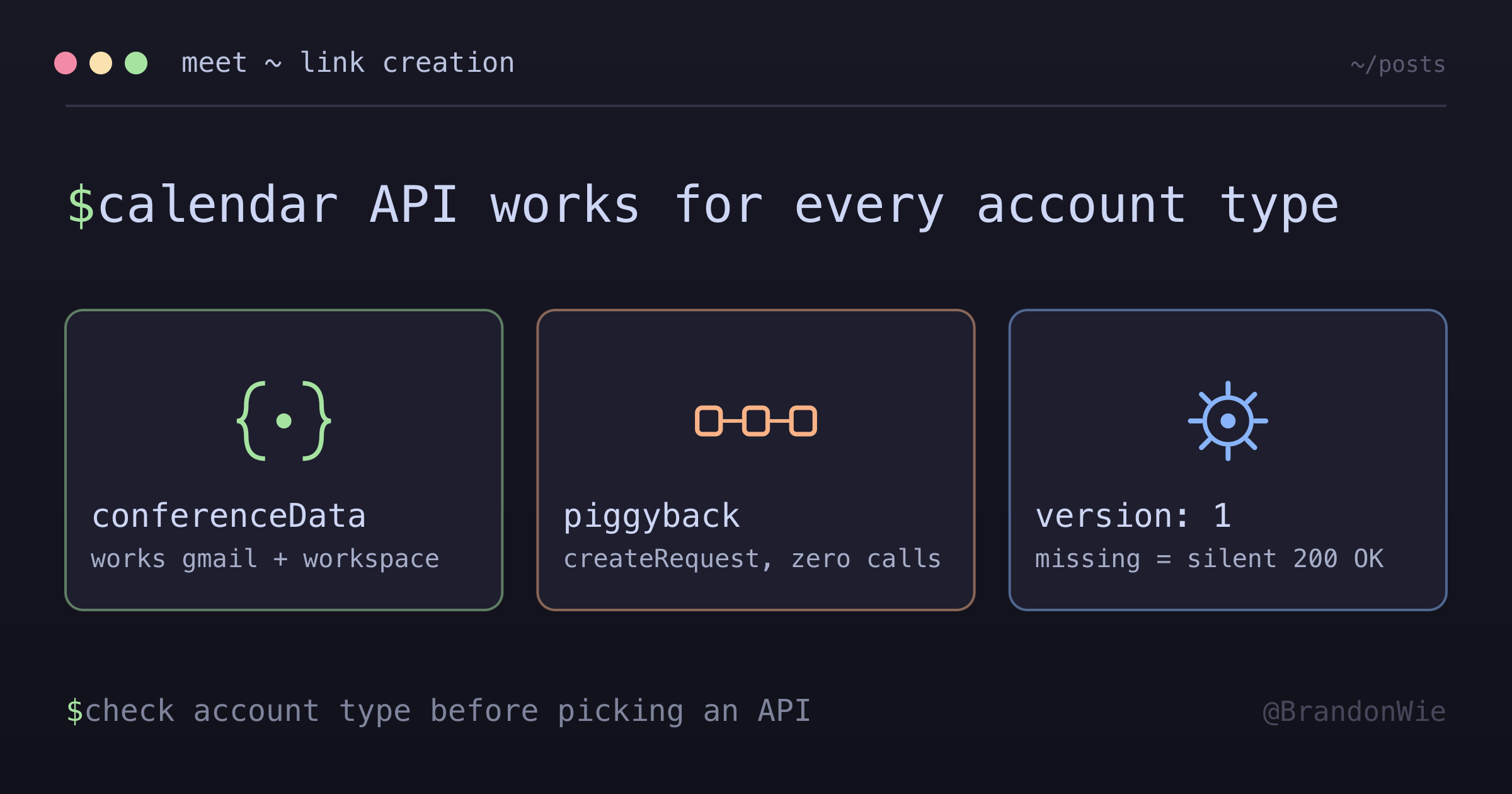
Google Meet Link Creation
Lesson learned from implementing programmatic Google Meet link creation.
Google has two APIs for creating Meet links. One of them does not work for half your users, and the documentation never mentions it.
The Problem
I needed to create Google Meet links programmatically. The feature had to work for every user — free Gmail accounts and paid Google Workspace accounts alike. Google offers two APIs that can do this, and the obvious choice turned out to have a deal-breaking limitation.
Options Considered
| Option | Pros | Cons |
|---|---|---|
| Calendar API with conferenceData | Universal (Gmail + Workspace), battle-tested | Requires calendar write, create/delete overhead |
| Meet REST API (spaces.create) | Direct creation, more control | Workspace only - doesn’t work with free Gmail |
| Pre-generated Meet links | Simple | Not scalable, security concerns |
The Critical Finding
The Google Meet REST API requires Google Workspace. Free Gmail accounts
cannot call spaces.create. The API returns a permission error with no
indication that account type is the issue.
Because the app I was building had to serve both free Gmail and Workspace users, the Meet REST API was not an option. The Calendar API was the only approach that works universally.
The Solution: Calendar API with conferenceData
The Calendar API approach creates a temporary calendar event with conference data attached, extracts the Meet link, then deletes the event. It sounds like a hack. It is the industry-standard approach.
// 1. Use the calendar's integration for OAuth
// 2. Create event with conferenceData
// 3. Extract Meet link
// 4. Delete temporary event
// 5. Return persistent Meet link (survives event deletion)
Why This Works
- Universal Compatibility: Works with both free Gmail and paid Workspace accounts — no account-type gatekeeping
- Meet link persists after event deletion: The meeting room remains accessible even after the temporary calendar event is deleted
- Clear Ownership: Calendar owner becomes meeting host, and calendar write access maps to meeting creation rights
- Minimal Overhead: Create event, extract link, delete event — three API calls that complete in under a second
What I Learned About Rate Limits
Both APIs are free to use. The Calendar API has generous quotas for this pattern. One thing to know: free Gmail accounts impose a 60-minute limit on meetings with 3+ participants.
The Better Way: Piggyback on Existing Events
Months after the initial implementation, I found a cleaner approach for the common case. If your application already creates a Google Calendar event — say, a background job that writes a user’s scheduled time slots to their calendar — you can generate the Meet link atomically by including conferenceData.createRequest in the same API call. No temporary event needed.
// Instead of: create temp event → extract link → delete temp event
// Just include in the real event payload:
event.conferenceData = {
  createRequest: {
    requestId: randomUUID(), // Google deduplicates by requestId
    conferenceSolutionKey: { type: "hangoutsMeet" }
  }
};
// Google returns event.hangoutLink in the response
This eliminates the create-extract-delete dance entirely. The Meet link comes back in the response to events.insert() or events.update(), bound to the real calendar event. Users see the “Join with Google Meet” button directly in Google Calendar.
When to Use Which Approach
| Scenario | Approach |
|---|---|
| App already creates a calendar event | Piggyback — include createRequest in that call |
| Standalone Meet link (no calendar event context) | Temp event — create, extract link, delete |
The piggyback approach has zero API overhead (no extra calls), and the Meet link is semantically tied to the actual event rather than orphaned from a deleted placeholder. If you are already calling events.insert() or events.update(), there is no reason to use the temp event pattern.
Clearing Meet Links (conferenceData = null)
Later, I needed to remove a Meet link from an existing event. This turned into its own debugging session.
hangoutLink is read-only in Google Calendar API — it is derived from conferenceData. You cannot set it directly. To remove a Meet link, you must
send conferenceData: null with conferenceDataVersion: 1.
Three-State Semantics
The API interprets conferenceData differently depending on its value and whether conferenceDataVersion is set:
| conferenceData value | conferenceDataVersion | Google behavior |
|---|---|---|
{...} (truthy) | 1 | Set/update conference data |
null | 1 | Clear conference data (removes Meet link) |
undefined (omitted) | 0 | Ignore — preserve existing conference data |
The Silent Failure Trap
Without conferenceDataVersion: 1, Google silently ignores all conference
changes. The API returns 200 OK. The response looks normal. But nothing changes.
This makes clearing bugs particularly hard to diagnose. You think your code is working — the API said so — but the Meet link is still there.
TypeScript Type Gap
Google’s googleapis npm types define conferenceData as Schema$ConferenceData | undefined — there is no null in the union. But the
REST API does accept null to clear conference data. The workaround requires
a type assertion:
// Google's types don't model null for request semantics
(event as Record<string, unknown>).conferenceData = null;
This is one of those cases where the TypeScript types and the actual API semantics disagree. The REST API documentation is the source of truth.
Key Takeaways
Check account type requirements first — APIs may have different capabilities for free vs paid accounts. Test with both before committing to an approach.
“New and shiny” is not always better — The Meet REST API (released Feb 2024) seemed ideal but had a deal-breaking limitation that the older Calendar API approach does not.
Workarounds can be permanent solutions — Creating and deleting a temporary event feels wrong, but it is what Google themselves recommend. That said, when your app already creates a real calendar event, piggyback on that call instead — zero overhead, and the Meet link is tied to the actual event.
Silent 200 OK responses lie — When
conferenceDataVersionis missing, Google accepts your request and does nothing. Always verify state changes against a follow-up read.Type definitions lag behind API reality — When official types do not model a valid API state (like
nullfor clearing), check the REST documentation and use a targeted type assertion.Piggyback when possible — If you are already calling
events.insert()orevents.update(), includeconferenceData.createRequestinstead of making a separate temp-event round trip. Zero overhead, and the Meet link is semantically bound to the real event.