On this page
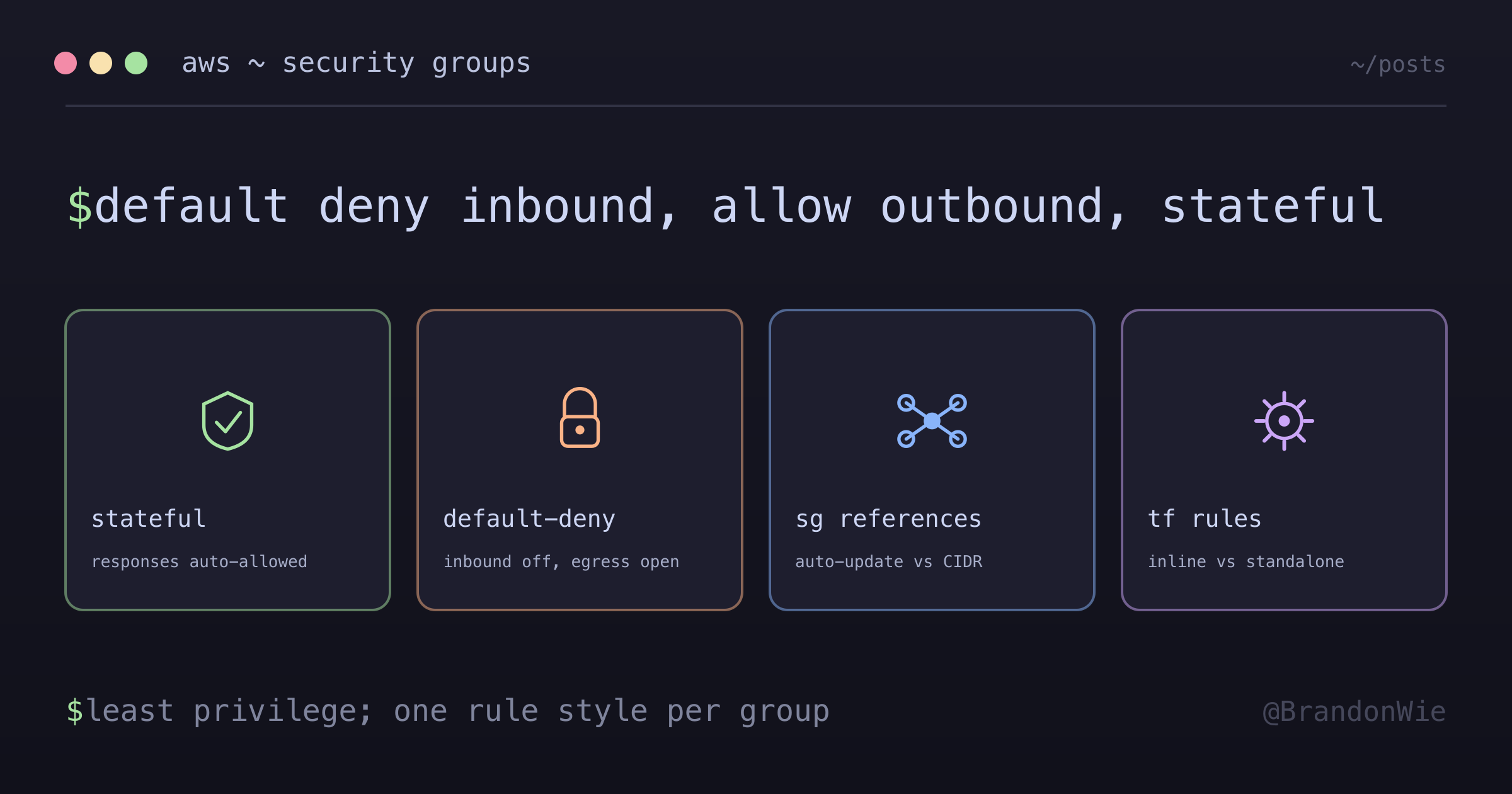
AWS Security Groups Fundamentals
Security Groups are virtual firewalls for AWS resources, controlling inbound
I spent two hours debugging why my ECS tasks could not reach the RDS database, even though both resources were in the same VPC and the connection string was correct. The application logs showed connection timeouts — not authentication failures, not DNS resolution errors, timeouts. The root cause was a missing ingress rule on the database security group. I had allowed traffic from the VPC CIDR block, but the ECS tasks were running in a different subnet range than I assumed.
Security groups are the most common source of “it works locally but not on AWS” problems. They are also the most common finding in AWS security audits when configured too permissively. Understanding them well is not optional — it is the difference between debugging infrastructure issues in minutes versus hours.
What Security Groups Are
Security Groups are virtual firewalls that control inbound (ingress) and outbound (egress) traffic at the instance level. Every AWS resource in a VPC — EC2 instances, RDS databases, ECS tasks, Lambda functions in a VPC — gets one or more security groups attached to its network interface.
They operate at Layer 3/4 of the network stack, meaning they filter based on IP addresses, ports, and protocols. They cannot inspect HTTP headers, URL paths, or request bodies — that is the job of an Application Load Balancer or WAF.
What Made Security Groups Confusing
Several aspects of security groups are unintuitive, especially if you have experience with traditional firewalls.
Stateful behavior. If you allow inbound traffic on port 443, the response traffic is automatically allowed outbound — without an explicit egress rule. This is the opposite of traditional firewalls where you configure both directions. It simplifies rule management, but it means you cannot block response traffic for allowed inbound connections.
Asymmetric defaults. Inbound defaults to deny-all while outbound defaults to allow-all. This catches people in both directions: newcomers wonder why nothing connects (they forgot to add ingress rules), while security-conscious engineers assume they have egress restrictions when they do not.
Security group references vs CIDR blocks. You can specify traffic sources as either IP ranges (cidr_blocks) or other security groups (security_groups). Using CIDR blocks for inter-service communication breaks when IPs change. Security group references auto-update, but the syntax is different and easy to confuse in Terraform.
Opaque debugging. Security group denials produce no logs by default. Unlike NACLs, which appear in VPC Flow Logs with explicit ACCEPT/REJECT entries, a security group silently drops traffic. You must enable VPC Flow Logs to see rejected traffic, and even then the logs do not tell you which specific security group rule caused the rejection.
Rule limits. The default limit is 60 rules per security group and 5 security groups per ENI. These limits sound generous until you need to allowlist 20 office IP ranges across 4 ports — that is 80 rules. Consolidating rules requires understanding port ranges and CIDR aggregation.
When to Use Security Groups
- Controlling access to any VPC resource (EC2, RDS, ECS, Lambda in VPC)
- Implementing least-privilege network access between service tiers
- Restricting database access to only application servers
- Limiting SSH/RDP access to specific IP ranges or bastion hosts
When NOT to Use Security Groups
Security groups are not the right tool for every network security problem.
- Subnet-level traffic control — Security groups operate per-ENI (instance level). Use Network ACLs (NACLs) for subnet-wide rules that apply to all resources in a subnet.
- Blocking specific IP addresses — Security groups only allow; they have no deny rules. Use NACLs for explicit deny rules to block known bad actors.
- Rate limiting or DDoS protection — Security groups have no concept of request rate. Use AWS WAF or Shield for rate-based rules.
- Application-layer filtering — Security groups work at L3/L4 (IP and port). Use ALB rules or WAF for HTTP path/header-based access control.
- Cross-VPC or cross-account rules — Security group references only work within the same VPC (or peered VPCs with specific configuration). Use VPC endpoints or Transit Gateway for cross-boundary access.
Core Concepts
Stateful Firewall
Security Groups are stateful, which means:
- If inbound traffic is allowed, response traffic is automatically allowed out
- You do not need matching egress rules for responses to allowed inbound connections
- This simplifies rule management compared to stateless alternatives like NACLs
Default Behavior
- Inbound: All traffic denied by default
- Outbound: All traffic allowed by default
This asymmetry is intentional. AWS assumes you want your resources to be able to reach the internet (for updates, API calls, etc.) but you want to control who can reach your resources. You can — and often should — restrict egress too, but the defaults get you started quickly.
Ingress Rules (Inbound)
Ingress rules control traffic entering the resource. Each rule specifies a port range, protocol, and source.
ingress {
  description = "PostgreSQL from VPC"
  from_port   = 5432
  to_port     = 5432
  protocol    = "tcp"
  cidr_blocks = ["10.0.0.0/16"]
}
The parameters break down like this:
from_port/to_port: The port range. For a single port like PostgreSQL (5432), set both to the same value. For a range, setfrom_portto the lower bound andto_portto the upper.protocol: Usually"tcp"or"udp". Use"-1"for all protocols.cidr_blocks: Source IP ranges in CIDR notation.security_groups: Source security groups (preferred over CIDR blocks for inter-service communication).
Egress Rules (Outbound)
Egress rules control traffic leaving the resource. The most common pattern is to allow all outbound traffic:
# Allow all outbound (common default)
egress {
  from_port        = 0
  to_port          = 0
  protocol         = "-1"
  cidr_blocks      = ["0.0.0.0/0"]
  ipv6_cidr_blocks = ["::/0"]
}
The special values here are worth memorizing:
from_port = 0, to_port = 0, protocol = "-1"means all traffic on all portscidr_blocks = ["0.0.0.0/0"]means all IPv4 destinationsipv6_cidr_blocks = ["::/0"]means all IPv6 destinations
Security Best Practices
1. Principle of Least Privilege
Open only the ports you need, to only the sources that need them.
# BAD: Too permissive
ingress {
  from_port   = 0
  to_port     = 65535
  protocol    = "tcp"
  cidr_blocks = ["0.0.0.0/0"]  # All IPs, all ports
}

# GOOD: Specific and minimal
ingress {
  from_port   = 443
  to_port     = 443
  protocol    = "tcp"
  cidr_blocks = ["10.0.0.0/16"]  # VPC only
}
The first rule allows any IP on the internet to connect to any port on your resource. This is the configuration that shows up as a critical finding in every AWS security audit. The second rule allows only VPC-internal traffic on HTTPS.
2. Use Security Group References
When one AWS resource needs to talk to another, reference the source security group instead of hardcoding CIDR blocks.
# Database only accepts traffic from app servers
ingress {
  from_port       = 3306
  to_port         = 3306
  protocol        = "tcp"
  security_groups = [aws_security_group.app_servers.id]
}
This approach has three advantages over CIDR blocks: it auto-updates when source IPs change (new instances, auto-scaling), it communicates intent clearly (app servers can reach the database), and it is easier to audit because you can trace the chain of security group references.
3. Restrict SSH/RDP Access
Never allow SSH from 0.0.0.0/0. Limit it to your office IP range or, better yet, only from a bastion host security group.
# Allow SSH only from company IP range
ingress {
  description = "SSH from office"
  from_port   = 22
  to_port     = 22
  protocol    = "tcp"
  cidr_blocks = ["203.0.113.0/24"]  # Office IP range
}
4. Limit Egress When Possible
For sensitive workloads, restrict outbound traffic to only the services your application needs to reach.
# Only allow HTTPS outbound to specific service
egress {
  from_port   = 443
  to_port     = 443
  protocol    = "tcp"
  cidr_blocks = ["54.239.28.85/32"]  # Specific service IP
}
This prevents a compromised instance from phoning home to an attacker-controlled server. It is more operational work (you need to know every outbound dependency), but it is worth it for databases and other high-value targets.
Common Patterns
Web Server Security Group
A web server needs to accept HTTP/HTTPS from the internet, SSH from a bastion only, and reach anything outbound.
resource "aws_security_group" "web" {
  name        = "web-server-sg"
  description = "Security group for web servers"
  vpc_id      = aws_vpc.main.id

  # HTTP from anywhere
  ingress {
    from_port   = 80
    to_port     = 80
    protocol    = "tcp"
    cidr_blocks = ["0.0.0.0/0"]
  }

  # HTTPS from anywhere
  ingress {
    from_port   = 443
    to_port     = 443
    protocol    = "tcp"
    cidr_blocks = ["0.0.0.0/0"]
  }

  # SSH from bastion only
  ingress {
    from_port       = 22
    to_port         = 22
    protocol        = "tcp"
    security_groups = [aws_security_group.bastion.id]
  }

  # All outbound
  egress {
    from_port   = 0
    to_port     = 0
    protocol    = "-1"
    cidr_blocks = ["0.0.0.0/0"]
  }
}
Database Security Group
Databases should only accept connections from application servers. No direct internet access, no SSH.
resource "aws_security_group" "database" {
  name        = "database-sg"
  description = "Security group for RDS"
  vpc_id      = aws_vpc.main.id

  # PostgreSQL from app servers only
  ingress {
    from_port       = 5432
    to_port         = 5432
    protocol        = "tcp"
    security_groups = [aws_security_group.app.id]
  }

  # No direct outbound needed for RDS
  egress {
    from_port   = 0
    to_port     = 0
    protocol    = "-1"
    cidr_blocks = ["0.0.0.0/0"]
  }
}
ALB Security Group
An ALB accepts HTTPS from the internet and forwards to target groups on the application port.
resource "aws_security_group" "alb" {
  name        = "alb-sg"
  description = "Security group for ALB"
  vpc_id      = aws_vpc.main.id

  # HTTPS from internet
  ingress {
    from_port   = 443
    to_port     = 443
    protocol    = "tcp"
    cidr_blocks = ["0.0.0.0/0"]
  }

  # Health checks to target group
  egress {
    from_port       = 3000
    to_port         = 3000
    protocol        = "tcp"
    security_groups = [aws_security_group.app.id]
  }
}
Inline vs Standalone Rules in Terraform
Terraform offers two ways to manage security group rules, and the choice has critical implications for how Terraform handles drift detection.
Inline Rules (inside aws_security_group)
resource "aws_security_group" "app" {
  ingress {
    from_port       = 22
    to_port         = 22
    protocol        = "tcp"
    security_groups = [aws_security_group.bastion.id]
  }
}
The moment you include even one inline ingress block, Terraform claims ownership of ALL ingress rules on that security group. During terraform plan, it refreshes from AWS and removes any rule not defined in code. This is powerful for enforcement, but dangerous if someone added a rule manually in the console — Terraform will silently delete it on the next apply.
Standalone Rules (aws_security_group_rule)
resource "aws_security_group_rule" "app_ssh" {
  type                     = "ingress"
  from_port                = 22
  to_port                  = 22
  protocol                 = "tcp"
  security_group_id        = aws_security_group.app.id
  source_security_group_id = aws_security_group.bastion.id
}
Each standalone rule is an independent Terraform resource. The parent security group does not know about them. Other rules — whether added manually, by another Terraform project, or by another standalone resource — are left untouched.
The Critical Rule
| Inline ingress blocks | Terraform behavior |
|---|---|
| 1 or more | Manages ALL ingress — removes unrecognized rules |
| Zero | Does NOT manage ingress — ignores manual/standalone rules |
Same logic applies independently for egress.
When to Use Standalone Rules
Three situations call for standalone rules over inline:
- Circular dependencies: Security Group A references Security Group B and vice versa. Inline blocks create a cycle that Terraform cannot resolve. Extract one direction to a standalone rule to break the cycle.
- Mixed ownership: Some rules are Terraform-managed, others are manually managed (e.g., developer IPs that change frequently). Use zero inline blocks combined with standalone rules for the Terraform-managed portion.
- Cross-module references: When a rule needs to reference a security group from a different Terraform module, standalone rules avoid tight coupling between modules.
Import ID Format
If you need to import an existing security group rule into Terraform state, the ID format is:
{sg_id}_{type}_{protocol}_{from_port}_{to_port}_{source}
Example: sg-abc123_ingress_tcp_22_22_sg-def456
Debugging Tips
When connectivity fails and you suspect security groups, these commands help narrow the problem:
# Check security group rules
aws ec2 describe-security-groups
  --group-ids sg-1234567890abcdef0

# Check inbound rules
aws ec2 describe-security-group-rules
  --filters Name=group-id,Values=sg-1234567890abcdef0

# Test connectivity
nc -zv <ip> <port>  # From source
telnet <ip> <port>  # Alternative
The nc -zv command is the fastest way to test if a port is reachable. If it times out, the issue is likely a security group or NACL. If it connects but your application still fails, the problem is above the network layer — check application configuration, DNS resolution, or authentication.
Practical Takeaway
Security groups are the first line of defense for every VPC resource. The mental model is: default deny inbound, default allow outbound, stateful connections. Build security groups with least privilege from the start — it is far easier to open a port you need than to audit and close ports you opened too broadly.
For Terraform users, the inline vs standalone decision matters more than it looks. Pick one approach per security group and stick with it. Mixing them leads to rules disappearing on terraform apply and frantic debugging at 2 AM.