On this page
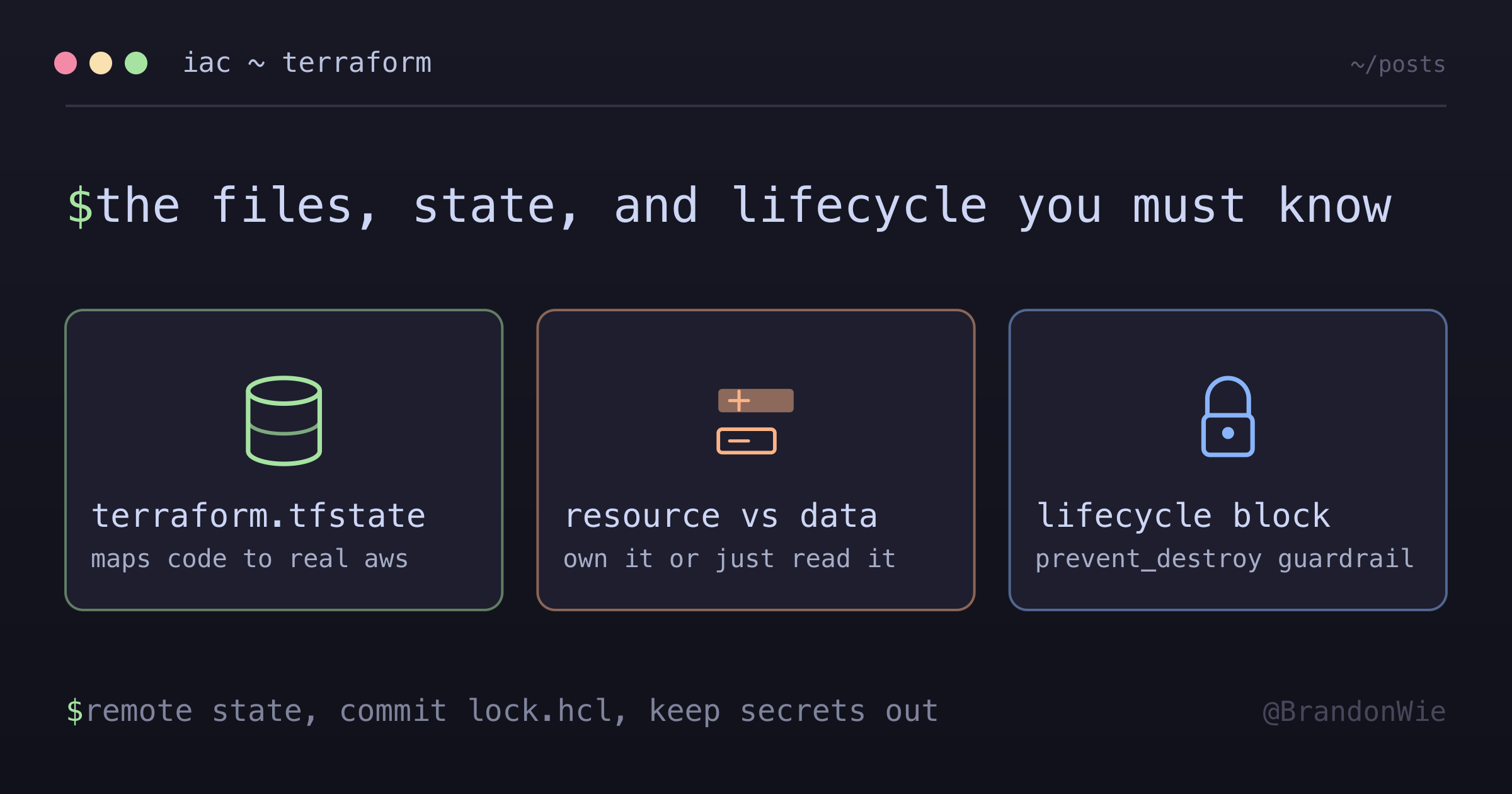
Terraform Fundamentals
Core Terraform concepts for AWS infrastructure management.
The first time I ran terraform apply on a real AWS account, I had no idea what half the files in my project directory were doing. There was a .terraform.lock.hcl I never created, a terraform.tfstate that appeared out of nowhere, and a .tfvars file someone told me to “never commit.” I spent an embarrassing amount of time treating Terraform like a black box — type the commands, hope for the best.
That approach works until it does not. The moment a teammate’s terraform plan shows different changes than yours, or you accidentally delete a state file, or you push secrets to Git inside a .tfvars — that is when understanding the fundamentals pays for itself.
This post covers the core files, concepts, and patterns you need to work confidently with Terraform on AWS.
The Files Terraform Generates (and Why They Matter)
Every Terraform project ends up with several auto-generated files alongside your .tf configuration code. Knowing what each one does — and whether it belongs in Git — prevents the most common team collaboration headaches.
.terraform.lock.hcl
This is a dependency lock file created by terraform init. It pins the exact provider versions your project uses, along with cryptographic hashes for integrity verification.
# This file is maintained automatically by "terraform init".
# Manual edits may be lost in future updates.

provider "registry.terraform.io/hashicorp/aws" {
  version     = "5.84.0"
  constraints = "~> 5.0"
  hashes = [
    "h1:aBcDeFgHiJkLmNoPqRsTuVwXyZ0123456789...",
    "zh:0123456789abcdef0123456789abcdef...",
  ]
}
The hashes array contains integrity checksums for the provider binary. When another team member runs terraform init, Terraform verifies the downloaded provider matches these hashes, preventing supply-chain tampering. The constraints field records what version constraint (from required_providers) produced this locked version.
This file belongs in Git. Without it, two developers could install different provider versions and get different plan outputs from identical code.
.tfvars Files
These hold variable values for environment-specific configuration. They separate configuration from code so you can use the same Terraform modules across dev, staging, and production.
# prod.tfvars
db_username = "admin"
db_password = "secretpassword"
environment = "production"
You apply them with a flag: terraform apply -var-file="prod.tfvars".
This file does NOT belong in Git. It often contains passwords, API keys, and environment-specific settings. Add *.tfvars to your .gitignore and distribute these files through a secure channel (1Password, AWS Secrets Manager, etc.).
terraform.tfstate
The state file is the bridge between your Terraform code and the real AWS resources it manages. It maps every resource block in your .tf files to an actual resource ID in AWS.
{
  "version": 4,
  "resources": [
    {
      "type": "aws_instance",
      "name": "web",
      "instances": [{ "id": "i-1234567890abcdef0" }]
    }
  ]
}
Without this file, Terraform has no idea what it has already created. It would try to create duplicate resources on the next apply, or it could not track which resources to update or destroy.
This file does NOT belong in Git. It contains sensitive data (resource IDs, sometimes passwords in plaintext). For any team environment, use a remote backend (S3 bucket + DynamoDB table for locking) instead of local state.
terraform.tfstate.backup
Terraform automatically creates this backup before every terraform apply that modifies state. It is a snapshot of the previous state, giving you a local safety net.
If terraform.tfstate gets corrupted, you can rename .backup to .tfstate to restore the last known-good state. When using S3 backend with versioning enabled, this local backup becomes less critical because S3 versioning provides the same rollback capability at the remote level.
This file does NOT belong in Git. Same reasoning as the primary state file.
Here is the full picture at a glance:
| File | Purpose | Git Status |
|---|---|---|
.terraform.lock.hcl | Provider version lock | Commit |
*.tfvars | Environment variables | Ignore |
terraform.tfstate | Infrastructure state | Ignore (use remote) |
terraform.tfstate.backup | Previous state backup | Ignore |
*.tf | Configuration code | Commit |
Resource vs Data Source
This distinction tripped me up for weeks. Both resource and data blocks reference AWS infrastructure, but they do fundamentally different things.
resource: “Create This”
A resource block tells Terraform to own and manage the full lifecycle of an AWS resource. Terraform creates it if it does not exist, updates it when your configuration changes, and deletes it on terraform destroy.
# Terraform CREATES this subnet
resource "aws_subnet" "main" {
  vpc_id     = aws_vpc.main.id
  cidr_block = "10.0.1.0/24"
}
data: “Find This Existing Thing”
A data block is read-only. It queries AWS for a resource that already exists — something created manually in the console, by another Terraform project, or by a different team.
# Terraform READS this existing subnet
data "aws_subnet" "existing" {
  id = "subnet-1234abcd"
}

# Use the data
output "subnet_cidr" {
  value = data.aws_subnet.existing.cidr_block
}
Data sources never create, modify, or delete anything. They are useful when you need to reference resources created outside your Terraform project, pull in cross-account resource details, or query AWS for existing infrastructure metadata.
The mental model: resource = “I own this,” data = “someone else owns this, but I need to reference it.”
Explicit Dependencies with depends_on
Terraform builds a dependency graph from your code automatically. When one resource references another’s attributes (like vpc_id = aws_vpc.main.id), Terraform knows the VPC must be created first. But sometimes the dependency is invisible to Terraform.
resource "aws_eip" "nat" {
  domain = "vpc"
  # Wait for IGW before creating EIP
  depends_on = [aws_internet_gateway.main]
}
You need depends_on when Terraform cannot infer the ordering — network resources that must exist before others, API ordering requirements, or cases where a resource depends on a side effect (like an IAM policy being attached) rather than a direct attribute reference.
One syntax note: depends_on takes a list, even when you have only one dependency. Write depends_on = [aws_internet_gateway.main], not depends_on = aws_internet_gateway.main.
The domain = “vpc” Setting
If you have seen domain = "vpc" on an aws_eip resource and wondered what it does, here is the history.
resource "aws_eip" "nat" {
  domain = "vpc"  # Explicitly VPC context
}
AWS used to have two networking modes: VPC and EC2-Classic. The domain parameter told Terraform which context to allocate the Elastic IP in. EC2-Classic was deprecated in August 2022, and all modern AWS accounts use VPC exclusively. Newer Terraform AWS provider versions default to "vpc", but keeping the explicit setting communicates intent clearly to anyone reading your code. It is a no-op in practice, but it documents that yes, you meant VPC.
Lifecycle Management
Terraform’s default behavior is straightforward: create what is new, update what changed, destroy what is removed. But production infrastructure often needs exceptions to that pattern. The lifecycle block lets you override Terraform’s default behavior for specific resources.
resource "aws_ecs_service" "app" {
  name = "my-service"

  lifecycle {
    # Ignore changes made outside Terraform
    ignore_changes = [task_definition]

    # Create new resource before destroying old
    create_before_destroy = true

    # Prevent accidental deletion
    prevent_destroy = true
  }
}
Each setting solves a distinct production problem:
ignore_changesis essential when another system legitimately modifies a resource attribute. The classic example: CI/CD deploys new ECS task definitions, but Terraform manages the service itself. Withoutignore_changes = [task_definition], everyterraform planwould show a diff and try to roll back to the old task definition.create_before_destroyenables zero-downtime updates. Instead of destroying the old resource and then creating the new one (which causes an outage window), Terraform creates the replacement first, waits for it to be healthy, then tears down the old one.prevent_destroyis your guardrail for critical resources like production databases. If anyone runsterraform destroyor removes the resource block from code, Terraform will error out instead of deleting the resource.
Practical Takeaway
Terraform’s power comes from treating infrastructure as code, but its complexity comes from the ecosystem of files and conventions around that code. Here is what to internalize:
- Use remote state (S3 + DynamoDB) for any team environment — local state files create merge conflicts and data loss risks.
- Never commit
.tfvarsfiles with secrets. Use environment variables or a secrets manager instead. - Always commit
.terraform.lock.hclso every team member uses identical provider versions. - Use
datablocks for existing infrastructure andresourceblocks for things Terraform should own. - Use
lifecycleblocks to handle the inevitable gap between Terraform’s model and production reality — especiallyignore_changesfor CI/CD-managed attributes andprevent_destroyfor critical databases.
These fundamentals do not change as your infrastructure grows. Whether you are managing 5 resources or 500, the same file hygiene, state management, and lifecycle patterns apply.